






























How to Set Up and Use Your Xlim 4 and Xlim Pro 4 Pod Kit
|
|
Time to read 7 min
Our Vaper Level system makes it easier for you to find the right vape products for you. Each product page is tagged with a recommended experience level which is colour coded and easily recognisable. View out full guide to find out what level you are!
Absolute beginners looking for a simple device to make the switch from smoking.
Moderate experience with vaping, confidence: changing coils and requiring adjustable settings.
Experienced and knowledgeable vapers needing advanced features or rebuildables.
Our advisors are available: Monday-Friday, 8.30AM-5.30PM
Contact Options
Follow @evovapinguk for exclusive offers and updates:
Submit our quick and easy registration form to get started as an Evolution Vaping wholesale customer!









over £20 + Same day dispatch
WITH EVERY PURCHASE
Written by: Christian Jones
|
|
Time to read 7 min
In This Guide
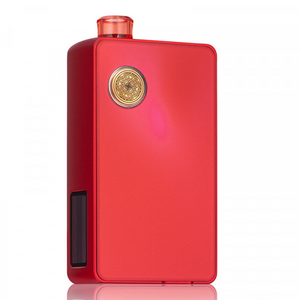
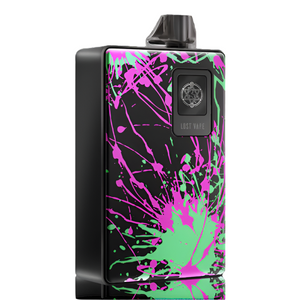
So, you've treated yourself to one of OXVA's newest pod kits. Nice. The Xlim 4 and Xlim Pro 4 are two of the most anticipated kits in the range, and both are brilliantly easy to use once you know your way around them.
The trouble is, eager new owners often rip them out of the box, fill a pod and start puffing straight away, and get rewarded with a burnt, scratchy first hit. This guide makes sure that doesn't happen to you. We'll cover the steps both kits share, then the controls that make each one tick.
Not sure which kit you've got, or just curious how they compare? Here's the quick version:
| Xlim 4 | Xlim Pro 4 | |
|---|---|---|
| Battery | 1600mAh | 1800mAh |
| Charging | USB-C at 2A | USB-C at 3A, side port |
| Power | Low, medium and high modes | Adjustable from 5 to 30W |
| Pulse System | Yes, for steady output | Yes, for steady output |
| Display | Colour-coded ring light for battery and power, with two light effects | Colour screen with four themes and three animations, plus an RGB light with three effects |
| Changing power | Two clicks | Three clicks |
| Vaping style | MTL and RDL | MTL and RDL |
| E-liquid | Nic salts and 50/50 | Nic salts and 50/50 |
The first few steps are the same for both kits. Follow them and your first puff will be a good one.
Give your kit a top-up with the USB-C cable before you start, so a flat battery doesn't spoil your first session. Use the supplied cable and never leave it charging unattended.
Xlim Pro 4The charging port is on the side, so you can stand it upright while it charges and watch the percentage climb on screen.
Take the pod out, open the top-fill cap and squeeze in your e-liquid. Fill up to the line, never to the brim, then close the cap firmly.
Tip: Tilt the pod slightly as you fill to stop air bubbles forming.
This is the step everyone wants to skip, and the one you really shouldn't. Leave the filled pod to stand so the cotton in the coil soaks up the e-liquid. Fire it dry and you'll scorch the cotton, and a burnt pod never truly recovers.
Xlim Pro 4The ABT pods use 30-second Quick Prime cotton, so they are ready almost straight away.
Xlim 4Give a fresh pod around five minutes before your first puff.
Push the pod into the device until you feel it click home.
Xlim Pro 4Click the button five times to switch it on or off.
Xlim 4There's no on or off to worry about. Once the pod is in, it's ready to vape.
The Xlim 4 keeps things wonderfully simple. One button, one ring light and three power modes are all you need to get to grips with.
Three power modes
Click the button twice to switch between low, medium and high. Low is gentle and saves battery, while high gives a warmer, more intense vape.
Smart ring light
The ring light shows your battery level and power mode at a glance, and adds a glow you can change to suit your style.
Pulse System
Keeps the output steady as the battery drains, so your last few puffs taste just as good as a fresh charge.
The ring light is colour-coded, so a quick glance tells you how much battery you have left:
It also has two vaping light effects. Press the button four times to switch between them and match your personal style.
Which mode should I use?
Start on low or medium with a fresh pod, then work up to high if you want more flavour and vapour. If it starts to taste harsh, drop back down.

The Xlim Pro 4 packs in more features, but OXVA haven't buried them in fiddly menus. Everything is a few clicks away:
Colour screen
Shows your battery, wattage, puff count, coil resistance and puff time. Pick from four themes and three animations.
Vertical airflow
Slide it closed for a tight, cigarette-style MTL draw, or open it up for a looser RDL vape.
Dual activation
Just inhale to vape, or press the button if you prefer.
RGB light
Choose from three lighting effects for the light above the button, or switch it off for a more discreet look.
Low battery? Still full flavour
Like the Xlim 4, the Xlim Pro 4 is powered by OXVA's Pulse System, which keeps the output steady as the battery drains. That means the last few per cent taste just as rich and satisfying as a fresh charge, with no weak, watery draws at the end of the day.

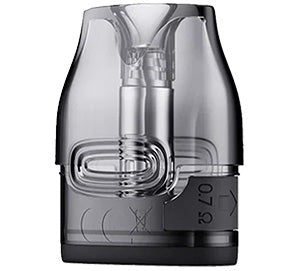
The Xlim 4 uses Xlim replacement pods, so check that any pods you buy are listed as compatible with your kit.
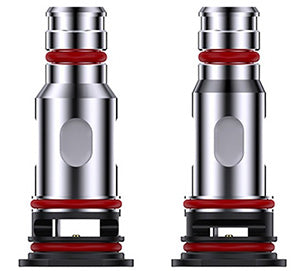
The Xlim Pro 4 is designed around OXVA's ABT XLIM cartridges, and the pod you choose decides how much power you can use:
| ABT pod | Max power | In the box? | Best for |
|---|---|---|---|
| 0.4Ω | 30W | Sold separately | Unlocking the full 30W |
| 0.6Ω | 25W | Yes | A looser MTL or RDL vape |
| 0.8Ω | 16W | Yes | A classic MTL draw with higher-strength nic salts |
| 1.2Ω | Check the pod | Sold separately | A tight, cool MTL draw |
Anti-Burn Tech explained
With an ABT pod fitted, the Xlim Pro 4 watches your e-liquid level. When it is almost empty, the device locks the power and shows "Please Fill The Pod" instead of firing, so you never get a dry hit. Older XLIM Top Fill pods also fit the Pro 4, but they don't have this protection.
Both kits are made for nic salts and 50/50 e-liquids. They are thin enough to soak quickly into the pod's coil and give a smooth, satisfying hit. Thick, high-VG liquids such as 70/30 struggle to wick in small pods and are a common cause of dry hits.
Heavier smokers
Try a 20mg nic salt in a 0.8Ω pod.
Lighter smokers
Try a 10mg nic salt or a 6mg 50/50.
More vapour
On the Pro 4, try a lower-strength liquid in the 0.6Ω pod with the airflow opened up.
Simple care tips
| Problem | Likely cause | Try this |
|---|---|---|
| Won't fire | Flat battery, pod not seated or device locked | Charge it, reseat the pod and, on the Pro 4, click four times to unlock |
| "Please Fill The Pod" (Pro 4) | Anti-Burn Tech has detected low e-liquid | Top up the pod and give it a moment |
| Burnt taste | Pod not primed, running low or worn out | Top up and let it soak, or replace the pod |
| Leaking | Overfilled, damaged seal or stored on its side | Fill to the line, check the cap and store upright |
| Gurgling | Too much liquid in the airflow | Remove the pod, wrap it in tissue and gently blow through the mouthpiece |
Safety first
If your device gets hot, smells of burning or fires on its own, stop using it straight away and don't charge it. Keep e-liquid out of reach of children and pets.
Click the button twice to switch between the low, medium and high power modes. The ring light shows which mode you are in.
Click the button three times to adjust the wattage. The 0.8Ω pod goes up to 16W, the 0.6Ω pod to 25W, and the 0.4Ω ABT pod, sold separately, unlocks the full 30W.
That is Anti-Burn Tech at work. With an ABT pod fitted, the Xlim Pro 4 locks the power when the e-liquid is almost empty, so the cotton doesn't burn. Top up and it will fire again.
Press the button four times to switch between the two vaping light effects. The ring light also shows your battery level: green for 65% to 100%, blue for 30% to 65% and red for 0% to 30%.
Both kits are made for nic salts and 50/50 e-liquids. Thick, high-VG liquids are too slow to soak into the pod's coil and can cause dry hits.
Click the button four times to lock it, which stops it firing in your pocket. Click four times again to unlock it.
That's it. Charge it, fill it, let it soak, click it in and enjoy. Whether you've gone for the simple, stylish Xlim 4 or the feature-packed Xlim Pro 4, a little care and the right e-liquid will give you great flavour, puff after puff.
Need help?


